Reader Briefing
Reader Briefing
Start here if you need a practical read on how to report someone on a dating app: every platform step by step: who should use verification, what signals to check, and what to do before moving from online interest to an in-person plan.
Who this is for
- People meeting someone from a dating app or social platform.
- Anyone checking identity, profile consistency, and trust signals.
- People trying to avoid romance scams, fake profiles, or pressure tactics.
- Online daters improving conversations, profiles, or match screening.
You’ll learn
- How to evaluate identity signals without treating any single check as certainty.
- Which trust signals matter and how to weigh them together.
- How to spot inconsistencies, pressure, or behavior patterns that deserve caution.
- How to move from online conversation to a safer first meeting.
- Where GuyID tools fit into a quick pre-date screening workflow.
- When to slow down, ask for more context, or walk away.
Bottom line
Verification reduces uncertainty; it does not guarantee future behavior. Use a layered approach: confirm identity signals, compare profile consistency, ask for a short video call, keep early plans public, and slow down when someone pressures you to skip normal safety steps.
Key takeaways
- Identity verification improves confidence, not certainty.
- Patterns matter more than isolated incidents.
- Verify before meeting privately or sharing sensitive details.
- A short video call can reveal many inconsistencies.
- Pressure to skip reasonable safety steps is useful information.
Free Tools
Catfish Probability Detector
Check whether a dating profile has suspicious identity or photo signals.
Dating Bio Red Flag Detector
Review a bio for scam, pressure, or trust-warning language.
Dating Safety Checklist
Use free GuyID tools before moving from chat to a real date.
Next step
Create your GuyID trust profile
Share consent-based trust signals before a date without turning the conversation into an interrogation.
You’ve spotted a fake profile, received a threatening message, encountered a scammer, or had a date go wrong — and now you need to know how to report someone on a dating app. Reporting matters more than most people realize: your report triggers profile removal that protects the next person, contributes to pattern detection that helps platforms identify scam networks, and creates the data trail that law enforcement uses to investigate and shut down operations. This guide provides the complete process for how to report someone on a dating app across every major platform, plus when and how to escalate beyond the dating app to law enforcement.
This guide makes those 5 minutes as efficient as possible.
NavigateTable of Contents34 sections
⚡ Key Takeaways
Report BEFORE blocking — blocking removes your access to evidence
On most platforms, blocking a user removes the conversation from your view. This order ensures the platform has full access to the evidence.
Your report protects the next person
Every report triggers profile review. Multiple reports from different users create patterns that algorithms and moderators use to identify and remove scam accounts at scale. Your single report may be the one that triggers network-level action.
Financial scams should be reported to law enforcement AND the platform
When money is involved, reporting only to the dating app is insufficient. File with the FBI IC3, FTC, and your financial institution. See our complete romance scammer reporting guide for the full multi-channel process.
Screenshot everything before reporting
Document the profile, all messages, photos, phone numbers, and any financial details before taking action. Evidence preserved now may be needed for law enforcement, financial recovery, or future reference.
When to Report Someone on a Dating App
Knowing how to report someone on a dating app starts with knowing when reporting is warranted. Not every bad date or awkward conversation requires a report — but the threshold is lower than most people think. Report when you encounter any of these situations.
Always Report
- Fake profiles: Reverse image search confirmed stolen photos, or the profile shows clear signs of being fake (stock photos, AI-generated images, scam-pattern bios). Even if you weren’t personally targeted, reporting removes the profile before it targets someone more vulnerable.
- Scam behavior: Any request for money, gift cards, cryptocurrency, or financial information. Any introduction to an “investment opportunity.” Any narrative that follows the romance scam playbook — love-bombing followed by financial requests.
- Harassment or threatening messages: Sexual harassment, threats, verbal abuse, stalking behavior, or messages that make you feel unsafe. One harassing message warrants a report — you don’t need to wait for a pattern.
- Unsolicited explicit content: Unwanted sexual images or messages. Platforms take these reports seriously and most have specific reporting categories for this type of content.
- Underage users: If someone appears to be under 18 on an adult dating platform, report immediately. This is a safety-critical situation that platforms prioritize above all other report types.
- Impersonation: Someone using another person’s photos and identity. The person being impersonated is also a victim — your report protects both them and future targets.
- Catfishing confirmed: You’ve verified through GuyID’s tools or in-person meeting that the person is not who they claimed to be.
Consider Reporting
- Suspicious behavior that doesn’t fit a specific category: Something feels off but you can’t categorize it precisely. Most platforms have a “Something else” or “Other” reporting option. Trust your judgment — if you noticed something concerning, others likely will too.
- Profile claims that don’t match reality: They claimed to be single but mentioned a spouse. Their age is clearly different from what’s displayed. Their career claims don’t survive basic verification. While not all misrepresentation rises to scam level, reporting helps platforms identify patterns of deception.
⚠️
Critical Order: Screenshot → Report → Block
First, screenshot everything — the profile, all messages, their photos, any phone numbers or links shared. Then report through the platform’s reporting tool. Then block the user. If you block first, you lose access to the conversation — and the platform may lose access to the evidence needed for their review. Report first, block second.
How to Report Someone on Tinder
Reporting a Tinder Conversation
- Open the conversation with the person you want to report
- Tap the shield icon (Safety Toolkit) or the person’s name at the top of the chat
- Select “Report”
- Choose the reason that best describes the issue: Fake Profile/Spam, Inappropriate Messages, Offline Behavior, Feels Like a Scam, Inappropriate Photos, Underage User, or Other
- Add details in the text field — the more specific you are, the more actionable the report becomes
- Submit the report
- Optionally, block the user after reporting
Reporting a Tinder Profile Before Matching
If you encounter a suspicious profile in the swipe stack (before matching):
- Open the profile by tapping their photo
- Scroll down and tap “Report [Name]”
- Select the appropriate reason
- Add details and submit
Reporting After Unmatching
If you’ve already unmatched, you can still report by contacting Tinder support at help@gotinder.com. Include: the person’s name as shown on Tinder, any screenshots you saved, the approximate date of matching, and a description of the issue. This is why screenshotting before unmatching is essential — without screenshots, the report has less evidence to support platform action.
How to Report Someone on Bumble
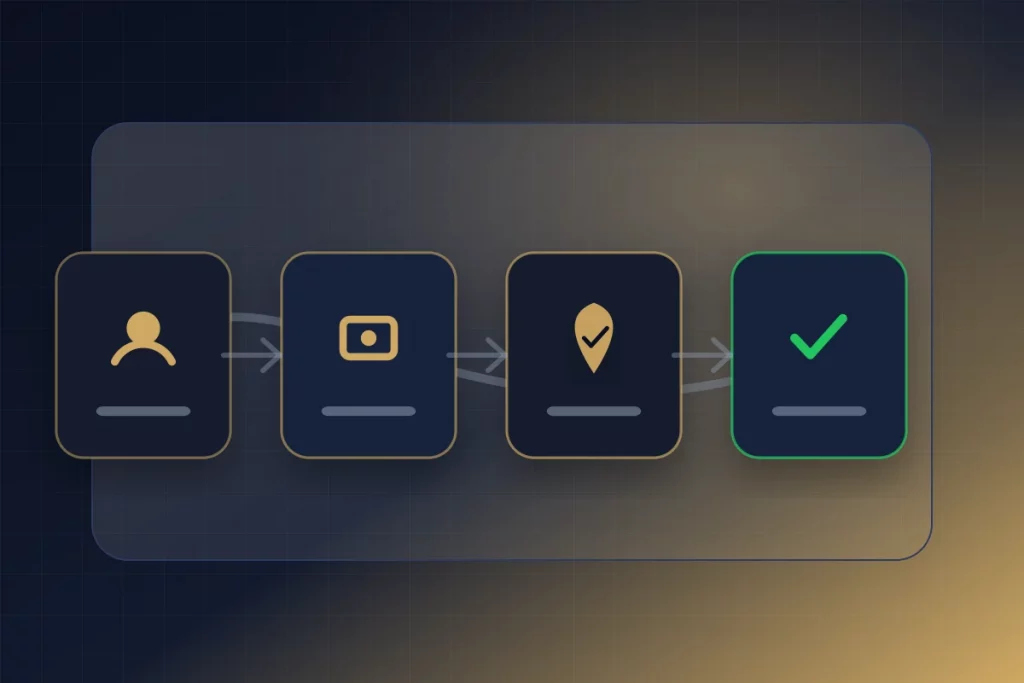
Bumble has one of the more streamlined reporting processes among major platforms.
Reporting a Bumble Conversation
- Open the conversation
- Tap the three dots (⋯) in the upper right corner
- Select “Report”
- Choose the category: Someone is being inappropriate, I believe this profile is fake, Someone is trying to scam me, Someone made me feel uncomfortable, or Other
- Follow the guided prompts to provide details
- Submit the report
Reporting a Bumble Profile Before Matching
- When viewing a profile in the stack, tap the three dots or the “Hide & Report” option
- Select “Report”
- Choose the category and provide details
Bumble’s Response
Bumble reviews reports and takes action including warning the reported user, requiring re-verification, temporarily suspending the account, or permanently removing the profile. Bumble does not share details of the action taken with the reporter — you may receive a notification that “action was taken” but not specifics.
How to Report Someone on Hinge
Hinge provides reporting through both conversations and profiles.
Reporting a Hinge Conversation
- Open the conversation
- Tap the three dots (⋯) in the upper right
- Select “Report [Name]”
- Choose the reason: Scam or fraud, Inappropriate or harmful content, Fake profile, Underage user, or Other
- Add a written description of the issue
- Submit
Reporting a Hinge Profile Before Matching
- On any profile, tap the three dots (⋯)
- Select “Report”
- Follow the prompts to categorize and describe the issue
Hinge-Specific Reporting Tips
When reporting scam or fake profiles on Hinge, mention specific prompt responses that seem scripted or generic — Hinge moderators understand their platform’s prompt system and can cross-reference generic responses against other reported profiles to identify scam patterns operating across multiple accounts.
How to Report on POF, Facebook Dating, and OkCupid
Plenty of Fish (POF)
- Navigate to the user’s profile
- Click “Report User” (typically located below or beside the profile)
- Select the reason from the dropdown menu
- Provide a detailed description — on POF specifically, include any phone numbers, external links, or platform names the user directed you to, as these help identify scam network connections
- Submit the report
Facebook Dating
Reporting on Facebook Dating has an additional layer — you can report both the dating profile and the underlying Facebook account.
- Open the conversation or profile
- Tap the three dots (⋯)
- Select “Report”
- Follow the guided prompts
- Also report the linked Facebook account: Navigate to their Facebook profile → tap three dots → “Find Support or Report” → “Scams and fake profiles.” Reporting both the dating profile and the Facebook account increases the likelihood of comprehensive action — especially for hacked account scams
OkCupid
- Go to the user’s profile or conversation
- Tap the flag icon or three dots menu
- Select “Report”
- Choose the category and provide details
- Submit
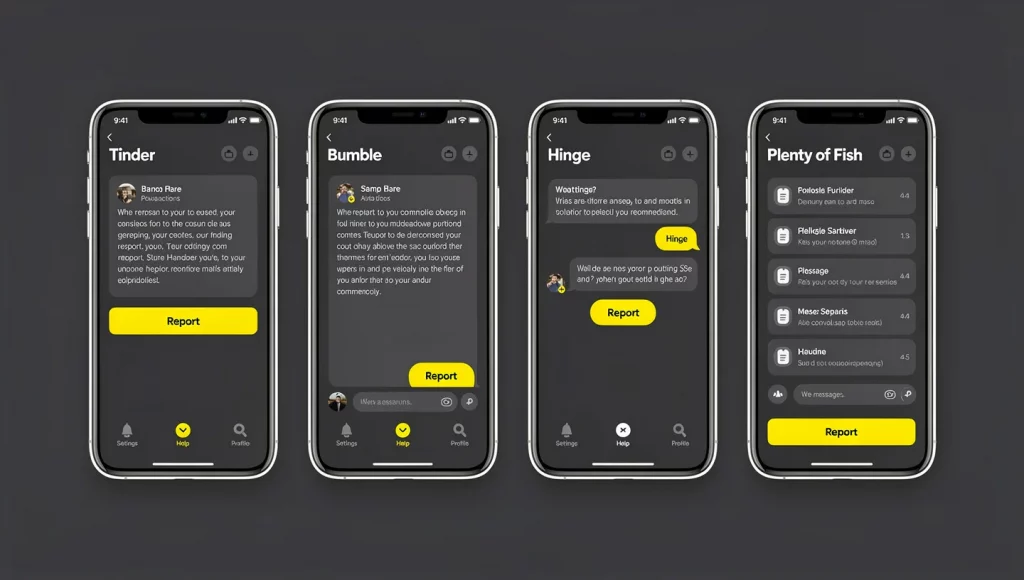
What to Include in Your Report for Maximum Impact
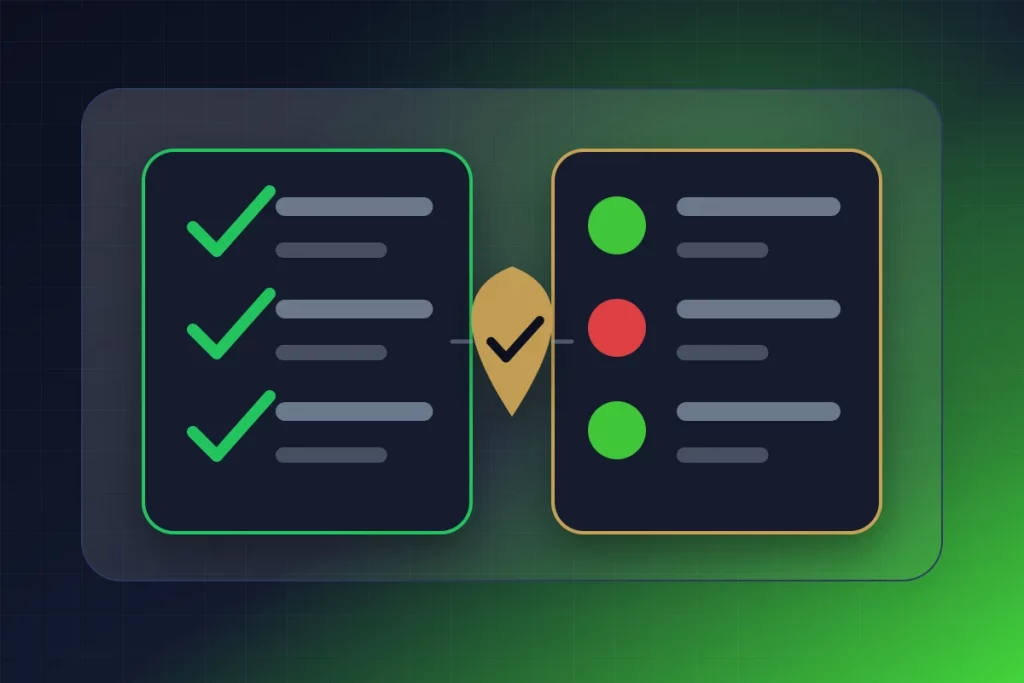
A detailed report is far more actionable than a one-click category selection. Knowing how to report someone on a dating app effectively means providing information that helps platform moderators and automated systems take swift, appropriate action.
Always Include
Describe exactly what happened, in what order, and when.
- Evidence of their claimed identity: Their name as shown on the dating app, any other names they used, their claimed profession, city, and age. If these details changed during your interaction, note the inconsistencies.
- External contact information shared: Phone numbers (especially WhatsApp numbers), email addresses, Telegram usernames, Instagram handles, or any other off-platform contact details they provided. These identifiers help platforms and law enforcement connect your report to other reports involving the same scammer across different accounts.
- Links or platforms they directed you to: If they shared links to investment platforms, websites, apps, or payment services, include the exact URLs. For pig butchering scams, the fake investment platform URL is critical evidence.
- Financial details (if applicable): Transaction amounts, dates, methods (wire transfer, gift cards, crypto), recipient information, and wallet addresses. This information is essential for the financial investigation that may follow.
If You Have Screenshots
Some platforms allow screenshot uploads with reports. If the platform supports it, attach screenshots of key messages — particularly any messages requesting money, any inconsistencies in their story, and the profile itself. If the platform doesn’t support attachments, save your screenshots separately for potential law enforcement reporting through IC3.
When to Escalate Beyond the Dating App
Knowing how to report someone on a dating app is step one. Some situations require escalation beyond the platform to law enforcement and financial institutions. Here’s when and where to escalate.
Escalate to Law Enforcement When
- Money was sent or requested: Any financial scam — even an unsuccessful one — should be reported to the FBI IC3 at ic3.gov and the FTC at reportfraud.ftc.gov. Your report contributes to pattern detection across thousands of cases.
- Physical threats were made: Contact local police. Save all threatening messages as evidence. If the threat is immediate, call 911.
- Stalking behavior occurred: If someone from a dating app showed up uninvited at your home, workplace, or regular location — contact local police and file a report. Document all evidence of the stalking behavior.
- Sexual assault or violence occurred: Contact local police and seek medical attention. RAINN’s National Sexual Assault Hotline (800-656-HOPE) provides confidential support.
Escalate to Financial Institutions When
- Wire transfer sent: Contact your bank immediately for a wire recall — success rates are highest within 24 hours
- Credit card used: Contact your card issuer for a chargeback — file within 60 days of the statement date
- Cryptocurrency sent: Contact your exchange with the receiving wallet address and transaction hash
- Gift cards purchased: Contact the gift card issuer (Apple: 800-275-2273, Google: support.google.com/googleplay)
For the complete multi-channel reporting process — including every agency, financial institution, and support resource — see our dedicated how to report a romance scammer guide.
What Happens After You Report Someone on a Dating App

Understanding the reporting aftermath helps set appropriate expectations and explains why your report matters even when you don’t see immediate results.
Platform Review Process
After you submit a report, the platform’s moderation team (human reviewers + AI systems) evaluates the reported profile and conversation. The review typically considers: the content of your report, the reported user’s message history with all matches (not just you), other reports filed against the same user, behavioral patterns flagged by automated systems, and the reported user’s account history.
Possible Outcomes
- Profile removal: The reported profile is permanently deleted from the platform. This is the most common outcome for confirmed scam, fake, or harassing profiles.
- Account suspension: Temporary ban while the platform investigates further. The user cannot access the platform during suspension.
- Warning issued: For borderline behavior, the platform may warn the user without removing their profile. Repeated warnings typically escalate to suspension or removal.
- No action: If the platform determines the report doesn’t violate their policies, no action is taken. This doesn’t mean your report was ignored — it was reviewed and a judgment was made.
What You’ll Hear Back
Most platforms provide minimal feedback on report outcomes. You may receive a notification like “We’ve taken action” or “Thank you for your report” without specifics about what action was taken. This is frustrating but standard — platforms don’t share investigation details for privacy and legal reasons. The absence of detailed feedback doesn’t mean your report had no impact.
Why Your Report Matters Even If You Don’t See Results
Your individual report contributes to aggregated data that powers several protective mechanisms. First, it adds to the report count for a specific profile — platforms typically escalate review when a profile accumulates multiple independent reports. Second, it provides data points for AI pattern detection — the scam techniques, language patterns, and behavioral indicators in your report train machine learning systems to catch similar behavior proactively. Third, it creates a record — even if no immediate action is taken, the report exists in the platform’s system and can contribute to future action if additional reports are filed.
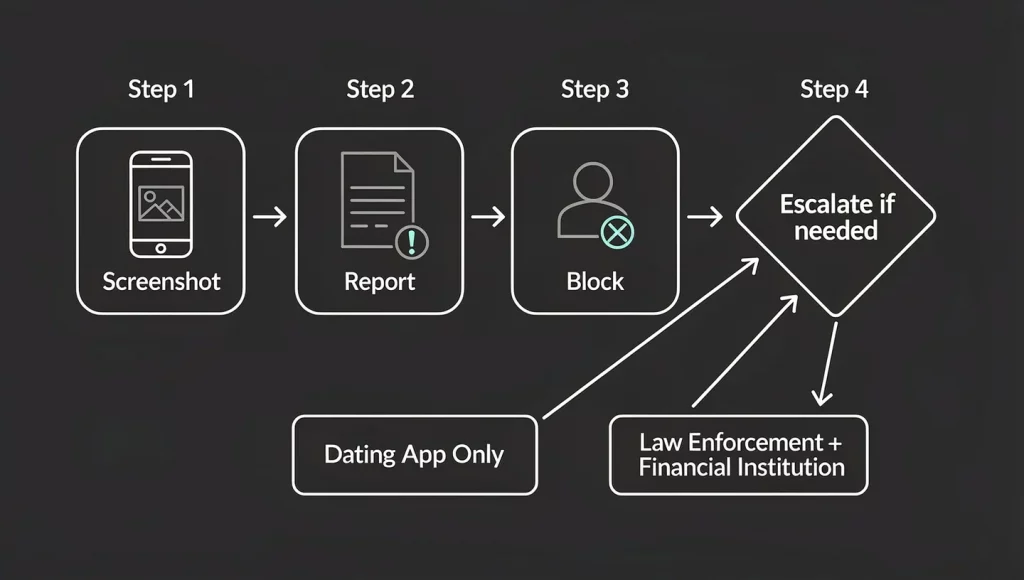
The Complete Reporting Checklist
🟢 Step 1: Document Everything (Before Taking Action)
☐ Screenshot the full profile (all photos, bio, name, details)
☐ Screenshot all messages — especially financial requests, threats, or scam evidence
☐ Save any phone numbers, email addresses, or external links they shared
☐ Note any financial details (amounts, dates, methods, recipients)
☐ Save screenshots to a dedicated folder with cloud backup
🟡 Step 2: Report to the Dating Platform
☐ Open the conversation or profile
☐ Select Report (three dots, shield icon, or flag icon depending on platform)
☐ Choose the most accurate category
☐ Write a detailed description including specific behavior, identifiers, and timeline
☐ Attach screenshots if the platform supports it
☐ Submit the report
🔵 Step 3: Block the User (After Reporting)
☐ Block on the dating platform
☐ Block on any external platforms they contacted you through (WhatsApp, Instagram, phone)
☐ Do NOT confront them — blocking without warning is safest
🔴 Step 4: Escalate If Needed
☐ Financial scam: FBI IC3 (ic3.gov) + FTC (reportfraud.ftc.gov) + your bank
☐ Physical threats/stalking: Local police + save all evidence
☐ Facebook Dating scam: Also report the linked Facebook account separately
☐ Sexual assault: Local police + RAINN (800-656-HOPE)
☐ See the complete reporting guide for all channels
Summary: Reporting Is a Safety Action, Not a Bureaucratic Task
Knowing how to report someone on a dating app is knowing how to protect the next person who encounters the same profile. Every report is an act of community safety — removing fake profiles before they find more vulnerable targets, creating the data patterns that platform AI uses to catch scams proactively, and building the evidence base that law enforcement needs to investigate and dismantle scam networks.
Your report disrupts that chain. The 5 minutes it takes to document evidence, file a platform report, and optionally escalate to law enforcement is the highest-impact safety contribution you can make after encountering fraud or harassment on a dating app.
The optimal approach: detect threats early through proactive verification using GuyID’s free safety tools (catching fakes before they get close), report when you find them (protecting the next person), and verify identity through GuyID Trust Profiles before meeting anyone in person (eliminating the risk entirely). Detection → reporting → prevention — the complete cycle that makes dating safer for everyone.
For the full multi-channel reporting process when financial losses are involved, see our comprehensive how to report a romance scammer guide. For the verification practices that catch threats before reporting becomes necessary, see our online dating safety tips and verification system guide.
Detect. Report. Prevent.
GuyID’s 60+ free safety tools help you detect fake profiles before reporting becomes necessary. Reverse image search, catfish detection, bio red flag analysis — plus verified Trust Profiles that eliminate unverified encounters. Women check for free.
Try Free Safety Tools
Learn About GuyID
Frequently Asked Questions
How do I report someone on Bumble?
How do I report someone on Hinge?
What should I include in a dating app report?
How do I report a hacked Facebook account being used for dating scams?
Can I report someone I already unmatched with?
Evidence note
The FTC reported 64,003 romance-scam reports in 2023, with $1.14 billion in reported losses and a $2,000 median reported loss (Federal Trade Commission, 2024).