Reader Briefing
Reader Briefing
Start here if you need a practical read on how to know if someone is online in whatsapp: who should use verification, what signals to check, and what to do before moving from online interest to an in-person plan.
Who this is for
- Readers preparing for a first in-person date.
- Anyone checking identity, profile consistency, and trust signals.
- People trying to avoid romance scams, fake profiles, or pressure tactics.
- Online daters improving conversations, profiles, or match screening.
You’ll learn
- How to evaluate identity signals without treating any single check as certainty.
- Which trust signals matter and how to weigh them together.
- How to spot inconsistencies, pressure, or behavior patterns that deserve caution.
- How to move from online conversation to a safer first meeting.
- Where GuyID tools fit into a quick pre-date screening workflow.
- How to compare options using practical safety and trust criteria.
Bottom line
Verification reduces uncertainty; it does not guarantee future behavior. Use a layered approach: confirm identity signals, compare profile consistency, ask for a short video call, keep early plans public, and slow down when someone pressures you to skip normal safety steps.
Key takeaways
- Identity verification improves confidence, not certainty.
- Patterns matter more than isolated incidents.
- Verify before meeting privately or sharing sensitive details.
- A short video call can reveal many inconsistencies.
- Pressure to skip reasonable safety steps is useful information.
Free Tools
Catfish Probability Detector
Check whether a dating profile has suspicious identity or photo signals.
Dating Bio Red Flag Detector
Review a bio for scam, pressure, or trust-warning language.
Dating Safety Checklist
Use free GuyID tools before moving from chat to a real date.
Next step
Create your GuyID trust profile
Share consent-based trust signals before a date without turning the conversation into an interrogation.
WhatsApp’s “last seen” and online status indicators are the most checked — and most misunderstood — features in modern dating communication. Whether you’re wondering if a new match is ignoring your message, if your partner is secretly chatting at 2 AM, or simply trying to understand how WhatsApp’s visibility settings work, knowing how to know if someone is online in WhatsApp requires understanding both the technical features and their significant limitations. This guide explains every method, what the status indicators actually mean, privacy settings that affect visibility, and why obsessing over online status is often more harmful than helpful for your relationships.
NavigateTable of Contents15 sections
WhatsApp Status Indicators Explained
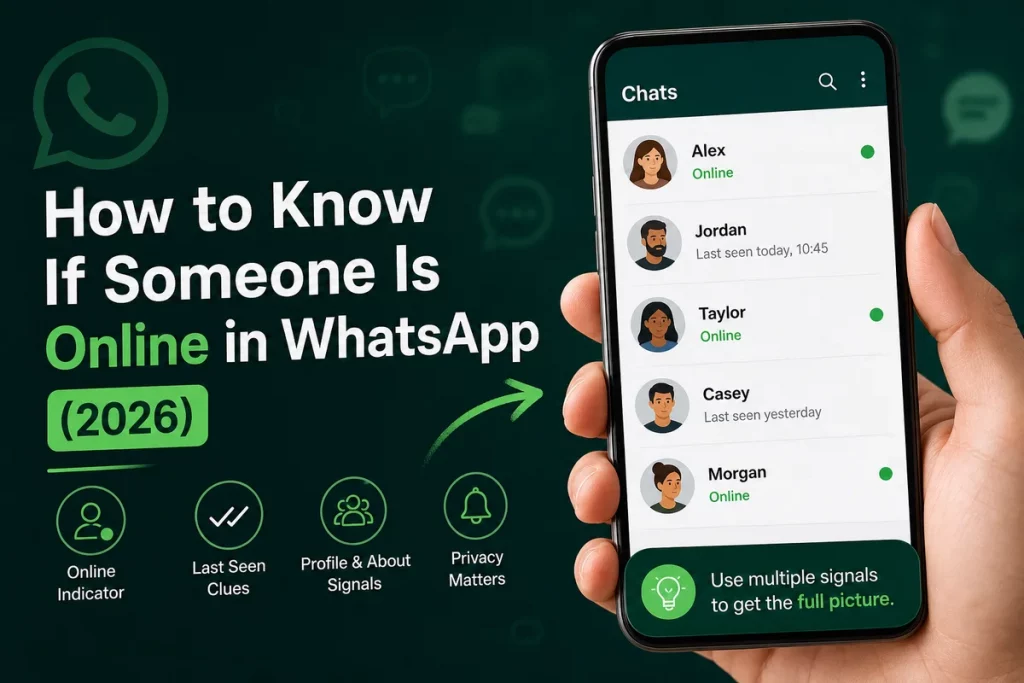
Before learning the methods for checking WhatsApp online status, you need to understand what the indicators actually mean — because they’re frequently misinterpreted:
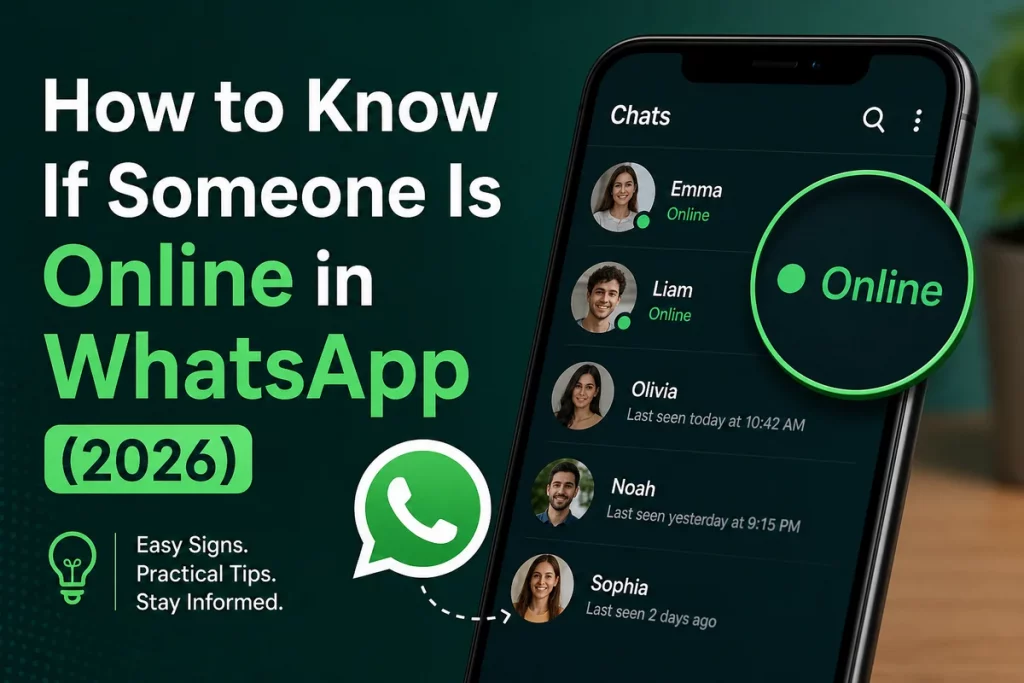
“Online” (green dot or text): The person currently has WhatsApp open and active on their phone. This indicator appears below their name in the chat header when you open a conversation with them. Important caveat: “online” doesn’t mean they’re reading your specific message or even aware of it. They could be in a completely different conversation, scrolling through group chat updates, viewing someone’s status story, adjusting their settings, or have WhatsApp open in the background while actively using a different app. The “online” indicator shows app activity at a general level, not attention directed at you specifically.
“Last seen” timestamp: Shows when the person last had WhatsApp open. “Last seen today at 2:47 PM” means they had WhatsApp active at that time. This doesn’t necessarily mean they were sending or reading messages — they may have just opened the app briefly. The “last seen” updates whenever WhatsApp is active, including background refreshes on some devices.
Blue check marks (✓✓): Single gray check = message sent from your phone to WhatsApp’s servers. Double gray checks = message delivered to the recipient’s phone (their device received it, but they haven’t necessarily seen the notification). Double blue checks = message read (the recipient opened your specific conversation). Note: “delivered” doesn’t mean they’ve seen the notification — their phone may have received it while they were asleep, driving, or in a meeting. And “read” doesn’t necessarily mean they’ve carefully processed the content — they may have glanced at the conversation briefly while scrolling through their message list. The check mark system provides delivery and open tracking, not attention or engagement tracking.
What none of these indicators tell you: Who they’re talking to, what they’re doing on WhatsApp, whether they’re intentionally ignoring you, or whether they’re actively engaged with the app versus having it open in the background. Understanding these limitations is essential context for how to know if someone is online in WhatsApp — because the indicators provide less information than most people assume.
How to Know If Someone Is Online in WhatsApp: Methods
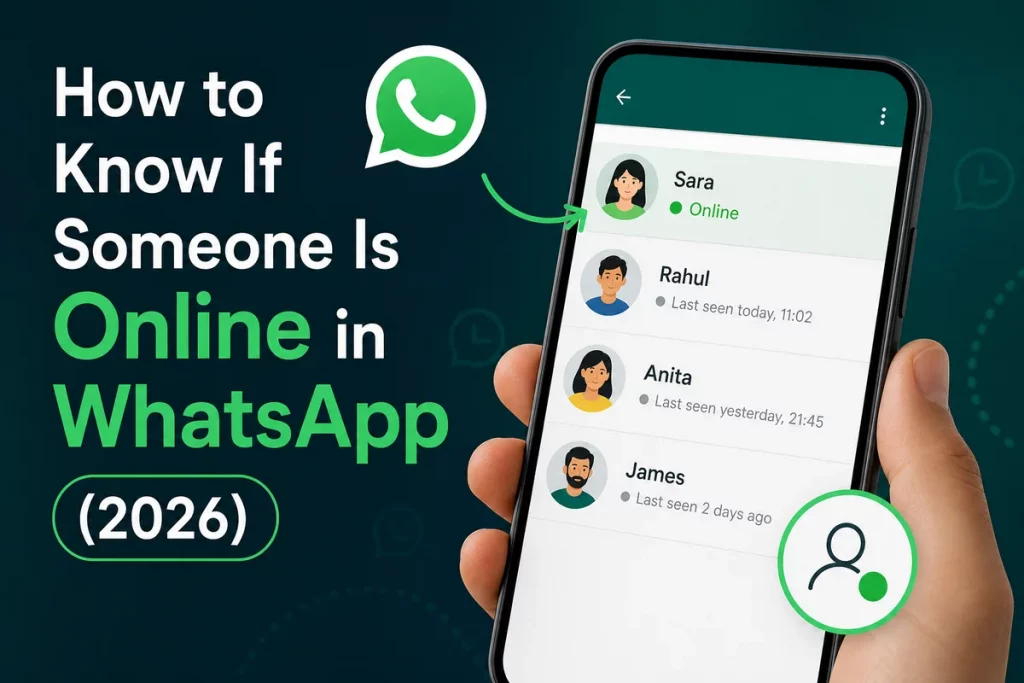
Here are the legitimate ways to check WhatsApp online status:
Method 1: Open the chat directly. The simplest approach to see if someone is online in WhatsApp: open your conversation with them. If they’re currently active, you’ll see “online” below their name at the top of the chat. If they’re not active, you’ll see their “last seen” timestamp (if their privacy settings allow it). This is the standard, intended way to check status.
Method 2: Check the “last seen” timestamp. If the person’s privacy settings show “last seen,” you can see when they were last active. This tells you the recency of their WhatsApp activity without requiring them to be currently online. If “last seen” shows a recent time but your messages remain unread, they’ve been on WhatsApp but haven’t opened your chat yet.
Method 3: Send a message and watch for delivery/read indicators. Send a message and monitor the check marks. Gray single check = sent. Gray double check = delivered to their phone. Blue double check = they opened and read it. The transition from delivered to read tells you exactly when they opened your conversation. This is the most reliable indicator of engagement with your specific chat.
Method 4: WhatsApp web notifications. If you use WhatsApp Web on your computer, desktop notifications may show when contacts come online — though this depends on your notification settings and is not a dedicated monitoring feature.
What does NOT work: Third-party “WhatsApp tracker” apps that claim to monitor someone’s online status 24/7 are scams, privacy violations, or malware. WhatsApp’s API does not support external tracking tools. Any app claiming to track another person’s WhatsApp activity is either fraudulent (stealing your data), violating WhatsApp’s terms of service, or both. Do not download or pay for these tools.
Privacy Settings That Block Visibility
WhatsApp provides privacy controls that can hide online status and “last seen” — which directly affects how to know if someone is online in WhatsApp:
“Last Seen” privacy options: WhatsApp lets users limit who can see their last-seen and online information. A missing timestamp can reflect privacy settings and does not establish what the person is doing. Review the controls in your current version of WhatsApp because labels and options can change.
“Online” privacy (newer feature): WhatsApp has introduced the ability to hide “online” status. Under Privacy → Last Seen and Online, users can choose “Same as Last Seen” — meaning only people who can see their “last seen” will see their “online” indicator. If they’ve set “last seen” to “Nobody,” their online status is also hidden from everyone.
Read receipts: Under Privacy → Read Receipts, users can disable blue check marks. With this turned off, messages show double gray checks (delivered) but never turn blue — so you can’t tell if they’ve read your message. Note: this is reciprocal — if you turn off read receipts, you also can’t see when others read your messages.
The practical reality: If someone has configured their privacy settings to hide “last seen” and “online” status, there is no legitimate way to know if they’re online in WhatsApp. This is by design — WhatsApp specifically provides these privacy controls so users can manage their visibility. Respecting these settings is important for healthy digital relationships.
Online Status in the Dating Context
In early-stage dating, WhatsApp online status becomes a source of significant anxiety — and one of the most searched questions related to dating communication. Here’s what the indicators mean, what they don’t mean, and how to interpret them without spiraling:
“They were online but didn’t reply to me.” This is the most common anxiety trigger when learning how to know if someone is online in WhatsApp. The reality: people open WhatsApp dozens of times daily for many reasons — checking other conversations, reading group chats, viewing status updates, responding to work messages, or accidentally opening the app while using their phone for something else. Being “online” is not equivalent to “available and choosing to ignore you.” Most healthy adults respond to messages when they have the time and mental bandwidth — not immediately upon seeing every notification. A 2-hour gap between “online” and reading your message is completely normal behavior for a person living their life.
“Their last seen was 3 AM.” Late-night WhatsApp activity generates significant relationship anxiety, especially in early dating. The reality: people check their phones when they can’t sleep, use WhatsApp for international contacts in different time zones (a friend in London, a family member in India), participate in late-night group chats about everything from sports to memes, or simply scroll through messages as they fall asleep. A 3 AM “last seen” doesn’t mean they were texting a romantic rival — it means they had WhatsApp open at 3 AM, which millions of people do every night for entirely unremarkable reasons.
“They turned off their read receipts / last seen.” Some people interpret hidden privacy settings as inherently suspicious — “What are they hiding?” The reality: many people disable these features for healthy, self-protective reasons. People who’ve experienced controlling behavior in past relationships often disable visibility settings to prevent monitoring. Others do it to reduce the social pressure of “seen” timestamps — the implied obligation to respond immediately once someone knows you’ve read their message. Privacy settings are a personal boundary choice, not evidence of deception.
“They read my message but haven’t replied.” Blue checks without a response creates acute anxiety — “They SAW it and are choosing not to reply.” The reality: people read messages in contexts where they can’t respond thoughtfully (in a meeting, driving, in the middle of something), intend to reply later and genuinely forget, or need time to think about what to say for messages that require a considered response. A read-without-immediate-reply is not rejection — it’s normal human communication behavior in a world of constant notifications.
| WhatsApp Indicator | What It Actually Means | What It Doesn’t Mean |
|---|---|---|
| “Online” right now | WhatsApp is active on their phone | They’re reading YOUR messages or available to chat |
| “Last seen 3:00 AM” | They opened WhatsApp at 3 AM | They were talking to someone suspicious |
| Blue checks (read) | They opened your conversation | They’ve carefully read and are ignoring you |
| Gray checks only | Message delivered but not opened | They’re avoiding you specifically |
| No “last seen” visible | They’ve changed privacy settings | They’re hiding something from you |
| Typing indicator appears/disappears | They started and stopped typing | They wrote something mean and deleted it |
The dating safety angle: While online status monitoring is generally unproductive for relationship health, certain WhatsApp behaviors are genuinely relevant to dating safety verification. If a match claims to be in one city but their WhatsApp profile shows a different location, that geographic inconsistency is worth noting. If they claim their phone is “broken” or “lost” but their last seen continues updating regularly, the claim is objectively false. If a match pressures you to disable your privacy settings, share your live location permanently, or demands to know why you were “online at midnight,” that’s a red flag for controlling behavior — monitoring your digital activity is a form of surveillance, not a form of love.
For genuine dating safety verification — confirming someone’s real identity, checking for catfish, and screening for scams — tools designed specifically for that purpose are infinitely more useful than monitoring WhatsApp timestamps. Use GuyID’s free screening tools, reverse image search, and phone number verification instead. These tools answer the questions that actually matter for your safety — not “when were they online?” but “who are they really?”
A Healthier Perspective on Status Checking
If you find yourself frequently checking whether someone is online in WhatsApp, it’s worth examining what’s driving that behavior:
Anxious attachment patterns. Compulsive status-checking is often a symptom of anxious attachment — where uncertainty about a partner’s availability triggers anxiety that can only be relieved by confirmation of their presence. Research from the American Psychological Association confirms that anxious attachment increases digital monitoring behaviors. If this resonates, addressing the underlying attachment pattern through therapy will be more productive than monitoring WhatsApp indicators.
The surveillance trap. Monitoring someone’s online activity creates a cycle: you check, you interpret (usually negatively), you feel anxious, you check again. This cycle escalates — and if discovered by your partner, it damages trust rather than building it. The National Domestic Violence Hotline identifies excessive digital monitoring as a form of controlling behavior. Healthy relationships require trust that operates in the absence of surveillance, not because of it.
The better question to ask yourself. Instead of “how to know if someone is online in WhatsApp,” the more productive question is: “Is this person communicating with me in a way that feels respectful, consistent, and engaged?” A person who takes a few hours to reply but sends thoughtful, detailed, interested responses is demonstrably more invested than someone who replies instantly with “lol” and “yeah.” Focus on communication quality — the depth, warmth, and effort in their messages — rather than response speed or online timestamps. Quality reflects genuine interest; speed reflects only phone proximity.
When it’s time for real verification. If your concern isn’t “are they online?” but “are they who they claim to be?” — then WhatsApp indicators aren’t the right tool at all. When you’re ready to verify a match’s identity for actual safety reasons rather than anxiety reasons, use GuyID verification and share your Date Mode link. These tools provide real safety information — confirmed identity, government ID verification, peer vouching — that no timestamp, read receipt, or online indicator can ever provide. The difference between monitoring and verifying is the difference between managing anxiety and building actual safety.
How GuyID Helps
GuyID should appear when it is useful, not as a banner ad. A GuyID Trust Profile gives someone a portable way to share trust signals before a date, while identity verification and social vouching help turn vague profile claims into clearer next steps.
Useful next steps:
- Create a GuyID Trust Profile when you want a cleaner way to share verified trust signals.
- Use GuyID free tools and related guides when you need a checklist before meeting someone.
- Treat identity verification as confidence-building, not a guarantee.
- Use social vouching when you want context from people who already know the person.
- Sign up only when the extra trust layer helps the decision you are already trying to make.
Frequently Asked Questions
How can I tell if someone is online on WhatsApp?
Open your chat with them. If they’re currently active, “online” appears below their name. If not, you’ll see their “last seen” timestamp (if their privacy settings allow). Send a message and watch for blue check marks (read receipts) to confirm when they’ve opened your conversation. These are the only legitimate methods — third-party tracking apps are scams.
Why can’t I see someone’s “last seen” on WhatsApp?
They’ve changed their privacy settings to hide “last seen” — either to “My Contacts” (and you’re not in their contacts), “My Contacts Except…” (and they’ve excluded you), or “Nobody.” This is a personal privacy choice, not necessarily suspicious behavior. Many people hide “last seen” to reduce social pressure around response times.
Can someone be online on WhatsApp without it showing?
Yes. WhatsApp now allows users to hide their “online” status through Privacy → Last Seen and Online settings. If set to “Same as Last Seen” with “last seen” hidden from you, you won’t see when they’re online. There is no way to override someone else’s privacy settings — and attempting to do so through third-party tools violates WhatsApp’s terms of service.
Are WhatsApp tracker apps real?
No legitimate ones exist. Apps claiming to track someone else’s WhatsApp activity are scams that steal your personal data, install malware, or charge subscription fees for fabricated “reports.” WhatsApp’s architecture does not support external monitoring. Do not download, install, or pay for any WhatsApp tracker tool.
Does “online” mean they’re reading my message?
No. “Online” means WhatsApp is active on their phone — they could be in a different conversation, checking group chats, viewing status updates, or have the app open in the background. Only blue check marks confirm they’ve opened your specific conversation. And even blue checks don’t mean they’ve carefully read your message — they may have glanced at it briefly.
Should I be worried if my date hides their online status?
Not necessarily. Many people hide their online status for healthy reasons — reducing social pressure, maintaining boundaries, or protecting privacy after past controlling relationships. Hidden status alone isn’t a red flag. Evaluate the full picture: are they responsive when they do reply? Is their communication consistent and engaged? For actual safety concerns about a dating match, use GuyID’s verification tools rather than status monitoring.
How do I verify a WhatsApp dating contact’s identity?
For real identity verification: (1) reverse image search their profile photo, (2) run their number through free phone lookup tools, (3) request a video call, (4) cross-reference on social media, (5) ask them to verify through GuyID. These methods confirm identity — which is what actually matters for safety, unlike knowing when someone was last online.
Is it unhealthy to constantly check someone’s WhatsApp status?
Frequent, compulsive status-checking is typically a symptom of anxiety rather than a productive safety behavior. It creates a cycle of check → interpret → worry → check again that escalates anxiety rather than resolving it. If you find yourself checking obsessively, consider whether anxious attachment patterns may be driving the behavior. Therapy addressing attachment and anxiety is more effective than monitoring tools.