
Dating App Privacy: What Your Profile Reveals & How to Protect Yourself (2026)
Your dating app profile reveals more about you than you think. Your first name narrows you to a neighborhood. Your job title places you at a company. Your photos — even casual ones — can geolocate your gym, your coffee shop, your apartment building. Combined, these data points create a digital footprint that anyone you match with can use to find your home address, workplace, social media, and daily routine — all before you’ve exchanged a single message. Dating app privacy isn’t an afterthought — it’s the foundation of physical safety in a world where 80 million Americans share personal information with strangers through dating platforms (SSRS, 2026), 630,000+ cybercriminals target those platforms (SpyCloud, Feb 2026), and a single reverse phone lookup can connect your dating profile to your front door.
This guide covers every dimension of dating app privacy: what personal information dating apps expose, which data points create real-world safety risks, how to configure each major platform for maximum privacy, what information to share (and when) as a relationship develops, and the privacy practices that protect your digital identity without making you invisible to genuine matches.
Why Dating App Privacy Is a Safety Issue, Not Just a Preference
Dating app privacy sounds like a data protection concern — something for people worried about targeted ads or data breaches. In reality, it’s a physical safety issue. The information you share on dating apps creates pathways that bad actors — scammers, stalkers, harassers, and abusers — use to locate, target, and harm real people in the real world.
57% of women believe online dating isn’t safe (Essence). That statistic reflects not just scam risk but the constant awareness that every match is a stranger who may use the information you’ve shared in ways you didn’t intend. The trust gap in online dating includes a privacy dimension: you must share enough to attract genuine connections while protecting enough to stay safe from the 1 in 4 users who encounter fake profiles (McAfee, Feb 2026).
The privacy risks are asymmetric. A genuine match uses your first name and job title to learn about you and build connection. A stalker uses the same information to find your LinkedIn, your company’s address, and — from there — your home neighborhood. A scammer uses your personal details for social engineering, targeted manipulation, or identity theft. The same data serves different purposes depending on who receives it — and on a dating app, you don’t know who’s receiving it until verification has occurred.
This is why dating app privacy and proactive verification work together: you protect your information (privacy) while confirming your match’s identity (verification through GuyID). You reveal less while knowing more. This combination is the safest possible dating position.
What Your Dating Profile Reveals About You: The Information Audit
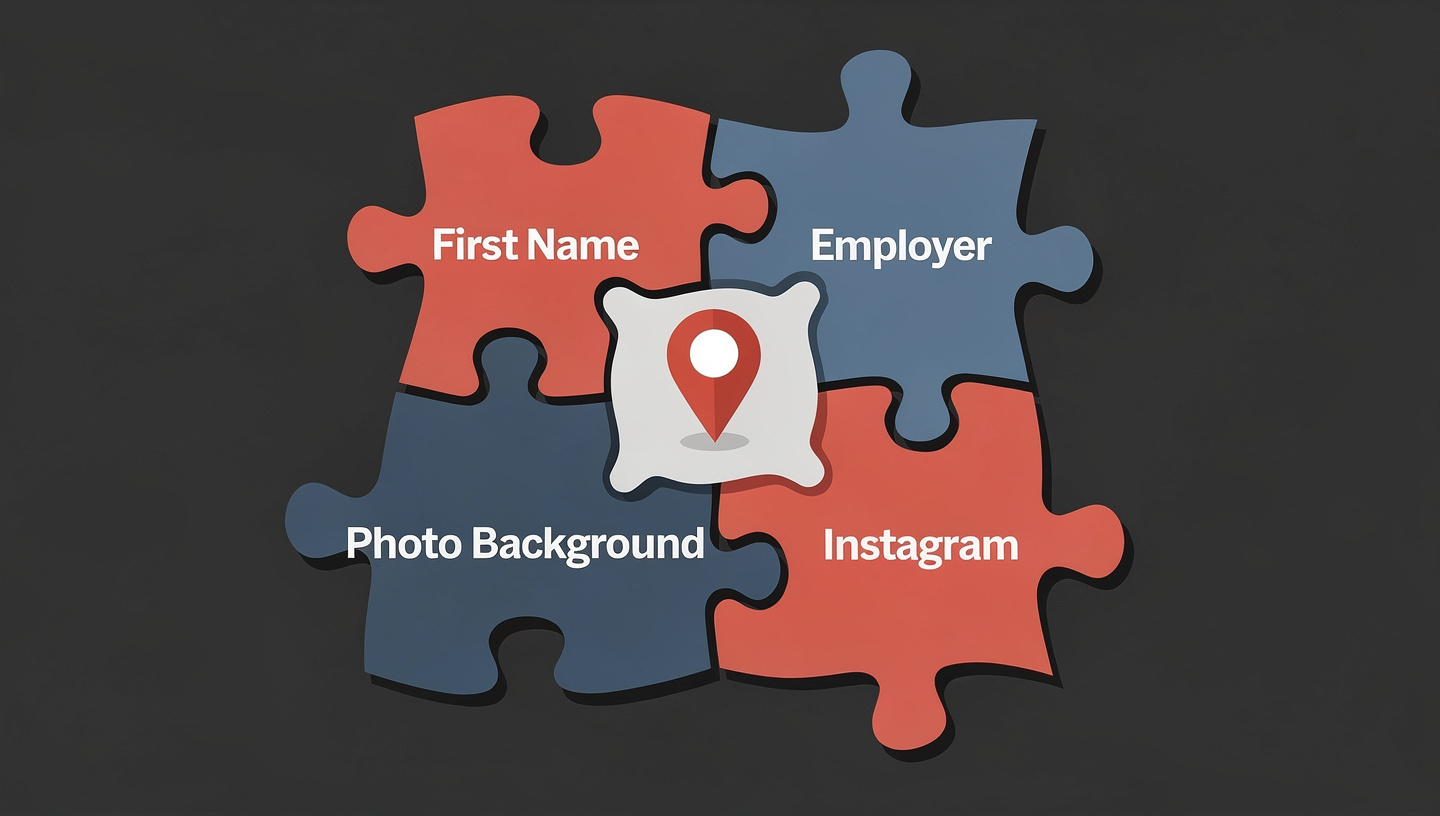
Most people don’t realize how much their dating profile reveals. Each piece of information — harmless on its own — combines with others to create a comprehensive identity picture. Understanding this is the first step in managing dating app privacy.
The Data Combination Problem
| What You Share | What It Reveals Alone | What It Reveals Combined with Other Data |
|---|---|---|
| First name | Very little (common names are shared by thousands) | First name + employer = full LinkedIn profile = full name, photo, career history, connections |
| Job title / employer | Professional context for compatibility | Employer + city = office location. Job title + LinkedIn = full professional identity. Employer directory may list your email and phone. |
| Approximate distance (e.g., “3 miles away”) | General proximity for meeting logistics | Distance from multiple locations (home, work, frequent spots) can triangulate your approximate home address |
| School / university | Education background for compatibility | School + graduation year + first name = potentially enough for alumni directory lookup revealing full name |
| Photos with identifiable backgrounds | Lifestyle and appearance | Street signs, building logos, distinctive architecture = specific locations. Gym, coffee shop, apartment complex — your daily routine mapped. |
| Linked Instagram | Additional photos and personality | Instagram username → full name (often in bio), location tags, friend network, daily routine, home neighborhood |
| Phone number (when moving off-app) | Communication channel | Phone number → reverse lookup → full name, home address, email addresses, linked social media accounts, family members |
Each row is a data point most users share without hesitation. Combined, they create enough information for a determined person to build a complete profile of your identity, location, routine, and social network — from a dating app alone, before you’ve ever met them.
The 5 Most Dangerous Privacy Leaks on Dating Apps
Not all privacy risks are equal. These five specific dating app privacy leaks create the most direct pathways to real-world harm — and should be addressed first.
Leak #1: Your Phone Number
When you move a conversation from a dating app to WhatsApp or text, you share your phone number. This single piece of data is the master key to your digital identity. A phone number entered into a reverse lookup service (many are free or cheap) reveals your full legal name, current and past home addresses, email addresses, linked social media accounts, and potentially family members’ names. A scammer or stalker who has your phone number has your identity — completely and irreversibly.
Protection: Use a Google Voice number, a secondary SIM, or a burner number app for all dating communication. Never share your primary phone number until identity verification through GuyID is complete and you’ve met in person.
Leak #2: Geotagged and Location-Revealing Photos
Dating apps strip EXIF metadata (including GPS coordinates) from uploaded photos. But the visual content of photos reveals locations without metadata: the view from your apartment window identifies your building. Your gym selfie shows the gym’s name on the wall. Your coffee shop photo includes the shop’s logo. Your dog-walking photo shows a distinctive neighborhood landmark. Each photo is a potential geolocation point that maps your daily routine.
Protection: Before uploading any photo to a dating app, examine the background for identifiable locations. Remove or replace photos that show your apartment building, view from your window, workplace entrance, regular gym, or any location you visit daily. Use photos from vacations, restaurants, events, and generic public locations instead.
Leak #3: Employer Name on Profile
Sharing your employer on a dating profile — “Marketing Manager at Acme Corp” — seems professional and attractive. But it also tells every match exactly where you work. Combined with your first name, it’s often enough to find your full LinkedIn profile, your company email address (most follow a pattern like firstname.lastname@company.com), and your office location. For stalking or harassment, knowing where someone works is nearly as dangerous as knowing where they live.
Protection: On dating profiles, use your industry or role without naming your employer: “Marketing Manager” or “Work in tech” rather than “Marketing Manager at Acme Corp.” Share your specific employer only after verification is complete.
Leak #4: Linked Social Media Accounts
Linking Instagram, Facebook, or Spotify to your dating profile provides authenticity signals (positive for safety) but also provides direct access to your broader digital identity (negative for privacy). A linked Instagram reveals your full name (often in your bio), location tags from posts, friend/follower network, photos of your home, workplace, friends, family, and daily routine. The authenticity benefit is real — but the privacy cost is significant.
Protection: If you link social media, audit what’s publicly visible first. Remove location tags from recent posts. Ensure your full name isn’t in your Instagram bio (or make it visible only to followers). Consider linking only your Spotify (music preferences, low privacy risk) rather than Instagram (comprehensive identity exposure).
Leak #5: Distance Display Combined with Location History
Dating apps show approximate distance between you and potential matches (e.g., “3 miles away”). For most users, this is useful logistics information. For a determined stalker, distance from multiple known locations can triangulate your approximate home address. If they know your workplace (from your profile) and check your distance from multiple locations at different times, they can narrow down where you live.
Protection: Most dating apps allow you to hide your distance or use approximate rather than precise location. Enable these privacy settings. Some apps allow you to set a general location rather than using GPS — use this option when available.
Privacy Settings for Every Major Dating App
Each major platform has specific privacy controls. Here’s how to configure maximum dating app privacy on each.
Tinder Privacy Settings
- Distance visibility: Settings → “Show My Distance” toggle off. This hides your distance from potential matches while still allowing distance-based matching.
- Social connections: Settings → “Show Me on Tinder Social” toggle off if you don’t want contacts who have your phone number to find you.
- Linked accounts: Review linked Instagram and Spotify — consider unlinking Instagram if your account reveals identifying information. Spotify is lower-risk.
- Phone number: Consider signing up with a Google Voice number rather than your primary number.
Bumble Privacy Settings
- Snooze mode: Use Snooze to temporarily hide your profile without deleting it when you need a break.
- Incognito mode (Bumble Premium): Makes your profile visible only to people you’ve swiped right on — preventing unwanted views of your profile.
- Block contacts: Settings → Block Contacts → upload your phone contacts to prevent people you know from seeing your profile.
- Distance: Bumble shows distance by default — there’s limited control, so be aware that your approximate location is visible to all matches.
Hinge Privacy Settings
- Workplace display: Consider using your industry rather than specific employer in the “Works at” field. “Works in Finance” reveals less than “Works at Goldman Sachs.”
- Hometown vs. current city: Be strategic — sharing your hometown provides background; sharing the specific neighborhood you live in now provides current location data.
- Prompt answers: Avoid prompt answers that reveal specific daily locations: “My favorite coffee shop: Blue Bottle on 3rd” tells everyone exactly where to find you every morning.
- Block contacts: Hinge allows importing your phone contacts to block people you know from seeing your profile.
Facebook Dating Privacy Settings
- Separate from main Facebook: Facebook Dating is already separated — your Facebook friends don’t see your dating profile. However, audit your main Facebook profile’s public visibility, since matches can search your name on Facebook directly.
- Block specific people: You can block specific Facebook users from ever seeing you in Facebook Dating.
- Location: Facebook Dating uses your general location, not precise GPS — a small privacy advantage over apps that show exact distance.
When to Share Personal Information as a Relationship Develops
Good dating app privacy isn’t about hiding forever — it’s about sharing the right information at the right time, proportional to the trust that’s been verified. Here’s the information-sharing timeline aligned with the 5-level verification system.
| Verification Stage | What You’ve Confirmed | What’s Safe to Share | What to Still Withhold |
|---|---|---|---|
| Pre-match (Level 1-2) | Photos checked, bio analyzed | First name, general profession, general interests | Employer name, phone number, home area, social media, last name |
| Post-match conversation (Level 3) | Social media cross-referenced, basic digital footprint confirmed | More specific interests, general neighborhood, career field details | Specific employer, home address, phone number (use Google Voice), financial info |
| Video call completed (Level 4) | Live person matches photos, passed deepfake testing | Google Voice number for off-platform messaging, specific career details, social media if comfortable | Primary phone number, home address, workplace address, financial info |
| GuyID Trust Profile verified (Level 5) | Government ID confirmed, social vouches verified, Trust Tier earned | Primary phone number, specific employer, more personal details | Home address (until multiple in-person meetings), financial info (until deep trust established) |
| Multiple in-person meetings | Consistent real-world behavior, genuine connection established | Home address, introduction to friends/family, deeper personal details | Financial details (share only in committed relationships with deeply established trust) |
The principle: information sharing should scale with verified trust. The more verification you’ve completed, the more you can safely share. Never share everything at once — even with a verified match. Trust is earned incrementally, and information should be released incrementally to match.

Phone Number Privacy: The Most Critical Dating App Privacy Decision
Sharing your phone number is the single highest-risk privacy action in the dating process. Understanding why — and knowing the alternatives — is essential for dating app privacy.
What Your Phone Number Reveals
A phone number entered into free or low-cost reverse lookup services (Whitepages, TruePeopleSearch, Spokeo, BeenVerified) can reveal your full legal name, current home address, previous addresses, email addresses, linked social media accounts, family members’ names, age, and sometimes even property records. A single phone number lookup provides enough information for identity theft, stalking, harassment, or targeted social engineering.
The Google Voice Solution
Google Voice provides a free phone number that forwards calls and texts to your real phone — without revealing your real number to the caller. For dating, this means you can text, call, and use WhatsApp with a Google Voice number that cannot be reverse-looked-up to your real identity. If a match turns out to be problematic, you can block or change the Google Voice number without affecting your primary phone service.
Setup takes 5 minutes: download the Google Voice app, choose a number, and use it for all dating communication. This single privacy step — costing $0 and taking 5 minutes — eliminates the most dangerous information leak in the entire dating process.
Alternative Options
If Google Voice isn’t available in your region, consider a secondary prepaid SIM card (cheap, disposable if needed), a burner number app (TextNow, Hushed, Burner — some are free, others are a few dollars per month), or Bumble’s in-app calling (voice and video without sharing any phone number). The specific tool matters less than the principle: never share your primary phone number with someone whose identity hasn’t been verified through GuyID.
Photo Privacy: What Your Images Reveal Beyond Your Appearance
Photos on dating apps serve two purposes: showing what you look like and — unintentionally — revealing where you live, work, exercise, and spend your time. Managing photo privacy is a critical component of dating app privacy.
The Background Scan
Before uploading any photo to a dating app, examine the background for these identifying elements:
- Building facades and addresses: Your apartment building, house number, street name, or any distinctive architectural feature that could identify your address.
- Window views: The view from your apartment is a surprisingly effective geolocation tool. A distinctive skyline, landmark, or street scene visible from your window narrows your location to a specific building or block.
- Business logos and names: Your gym’s logo on the wall behind your selfie. Your office building’s name on the entrance. Your favorite restaurant’s distinctive decor. Each identifies a specific location you frequent.
- Street signs and landmarks: Even partially visible street signs in outdoor photos can be cross-referenced to identify exactly where the photo was taken.
- License plates: Your car’s license plate in a photo can be looked up in some states to reveal your registered address.
- Uniforms and name badges: Work uniforms with company logos or visible name badges reveal your employer and potentially your full name.
Safe Photo Choices
The best dating profile photos for privacy are taken in generic or one-time locations: vacation destinations (you don’t go there daily), popular tourist spots (thousands of people visit), busy restaurants and bars (not your regular haunt), parks and nature settings (less identifiable), and events or concerts (public, one-time). Avoid photos taken at or near your home, workplace, gym, or any location that’s part of your daily routine.
Social Media Linking: The Privacy Trade-Off
Linking social media accounts to your dating profile creates a genuine trade-off between authenticity (positive for safety) and privacy (negative for safety). Managing this trade-off is a key dating app privacy decision.
The Authenticity Benefit
A linked Instagram or Spotify account provides organic identity signals that fake profiles typically lack: years of genuine content, real follower relationships, and consistent identity across platforms. When evaluating a match, these signals are genuinely useful for detecting catfish. A real Instagram account with years of posts is harder to fake than a dating app bio.
The Privacy Cost
A linked Instagram gives every match access to your Instagram profile — which may reveal your full name (in bio), location history (geotagged posts), friend and family network (tagged photos), workplace (work-related posts), home neighborhood (recurring location tags), and daily routine (post timing and location patterns). This is comprehensive identity exposure to every stranger you match with — before any verification has occurred.
The Balanced Approach
- Link Spotify (low risk): Music preferences reveal personality without exposing identity, location, or social network. The privacy cost is minimal.
- Think carefully before linking Instagram (high risk): If you link, first audit your public posts. Remove location tags from recent posts. Ensure your full name isn’t in your bio. Consider switching to a private account where only approved followers see your content — matches will see your handle but not your posts.
- Don’t link Facebook (highest risk): Facebook profiles typically contain the most comprehensive personal information — real name, friends, family, life events, location history. Linking Facebook to a dating app provides maximum identity exposure to every match.
The Complete Dating App Privacy Checklist
☐ Use first name only — never include last name anywhere
☐ Use industry/role instead of specific employer name
☐ Set up a Google Voice number for all dating communication
☐ Audit all photos for background location identifiers
☐ Remove/replace photos showing home, workplace, gym, or daily routine locations
☐ Link Spotify (low risk) rather than Instagram/Facebook (high risk)
☐ If linking Instagram: remove location tags, ensure full name not in bio
☐ Configure app privacy settings (distance visibility, contact blocking)
☐ Share Google Voice number — NEVER primary phone number — until Level 5 verified
☐ Don’t share employer name, home address, or daily routine details
☐ Be vague about specific locations: “I live on the east side” not “I live at 123 Oak Street”
☐ Don’t share photos that reveal your home or workplace in DMs
☐ Watch for questions that seem designed to extract location/identity information
☐ Verify their identity through GuyID Trust Profile (free to check)
☐ Meet at a public location that is NOT part of your daily routine
☐ Don’t let them pick you up — arrange your own transportation
☐ Share your date plans with a trusted friend
☐ Upgrade information sharing proportional to verified trust level
☐ Don’t share your home address until multiple verified in-person meetings
☐ Don’t share financial information until committed relationship with deep trust
☐ Periodically audit your social media for new privacy leaks
☐ If a match becomes uncomfortable: block, change Google Voice number, report
☐ Remember: information shared cannot be unshared — release gradually, verify first
Summary: Privacy as the Foundation of Dating Safety
Dating app privacy is not a secondary concern after scam detection and verification — it’s the foundational layer that makes all other safety measures effective. Without privacy, a scammer who passes your verification still has your home address. Without privacy, a date that goes badly still has your workplace. Without privacy, a catfish you’ve blocked can still find you through reverse phone lookup.
The five most dangerous privacy leaks — phone number, location-revealing photos, employer name, linked social media, and distance triangulation — are all preventable through the practices in this guide. A Google Voice number (free, 5-minute setup) eliminates the worst leak. Background-audited photos prevent location exposure. Industry-level job descriptions prevent workplace identification. Strategic social media linking provides authenticity without comprehensive identity exposure.
Dating app privacy and proactive verification are complementary strategies: privacy protects your information from unverified strangers, while verification through GuyID confirms the identity of people you’re considering sharing information with. Together, they create the optimal dating safety position: you reveal less while knowing more. Your matches see enough to be interested. You know enough to be confident. And the pathway from dating app to real-world harm is blocked at every stage.
For the complete framework of online dating safety tips — including verification tools, scam detection, and in-person safety — see our comprehensive guides. Privacy is where safety begins. Verification is how it’s maintained. Together, they make online dating safe.
GuyID helps you verify the people you’re sharing information with — government ID + social vouching + Trust Tiers confirm who they really are before you reveal who you really are. 60+ free safety tools. Women check for free.
Frequently Asked Questions: Dating App Privacy
What personal information should I never share on a dating app profile?
Should I use a Google Voice number for dating apps?
Is it safe to link my Instagram to my dating profile?
Can someone find my home address from my dating profile?
When should I share my real phone number with a dating match?
How do dating app privacy and verification work together?
What photos are safe to use on dating apps?
Do dating apps sell my personal data?

Founder, GuyID · Dating Safety Researcher · 13+ Years in Data Analytics
Ravishankar Jayasankar is the founder of GuyID, a consent-based dating trust verification platform. With 13+ years in data analytics and a deep focus on consumer trust, Ravi built GuyID to close the safety gap in digital dating. His research found that 92% of women report dating safety concerns — validating GuyID’s mission to make online dating safer through proactive, consent-based verification. GuyID offers government ID verification, social vouching, a Trust Tiers system, and 60+ free interactive safety tools.


