

Reader Briefing
Reader Briefing
Start here if you need a practical read on online harassment after dating: document, secure, and get support: who should use verification, what signals to check, and what to do before moving from online interest to an in-person plan.
Who this is for
- People meeting someone from a dating app or social platform.
- Readers preparing for a first in-person date.
- Anyone checking identity, profile consistency, and trust signals.
- People trying to avoid romance scams, fake profiles, or pressure tactics.
You’ll learn
- How to evaluate identity signals without treating any single check as certainty.
- Which trust signals matter and how to weigh them together.
- How to spot inconsistencies, pressure, or behavior patterns that deserve caution.
- How to move from online conversation to a safer first meeting.
- Where GuyID tools fit into a quick pre-date screening workflow.
- When to slow down, ask for more context, or walk away.
Bottom line
Verification reduces uncertainty; it does not guarantee future behavior. Use a layered approach: confirm identity signals, compare profile consistency, ask for a short video call, keep early plans public, and slow down when someone pressures you to skip normal safety steps.
Key takeaways
- Identity verification improves confidence, not certainty.
- Patterns matter more than isolated incidents.
- Verify before meeting privately or sharing sensitive details.
- A short video call can reveal many inconsistencies.
- Pressure to skip reasonable safety steps is useful information.
Free Tools
Catfish Probability Detector
Check whether a dating profile has suspicious identity or photo signals.
Dating Bio Red Flag Detector
Review a bio for scam, pressure, or trust-warning language.
Dating Safety Checklist
Use free GuyID tools before moving from chat to a real date.
Next step
Create your GuyID trust profile
Share consent-based trust signals before a date without turning the conversation into an interrogation.
Quick Answer
If someone you dated is threatening, impersonating, doxxing, repeatedly contacting, or monitoring you online, first address immediate physical safety. Then preserve evidence, secure accounts from a safer device, reduce exposed information, use platform reporting and blocking tools, and tell trusted people who can support the plan. Contact local law enforcement, a lawyer, or a victim-support service when threats, stalking, intimate-image abuse, or escalating conduct may require a formal response.
Do not confront the person if doing so could increase danger. Blocking is useful, but it can change the behavior or remove your access to messages, so document relevant material first when safe. Laws and available orders vary by location; this guide is not legal advice.
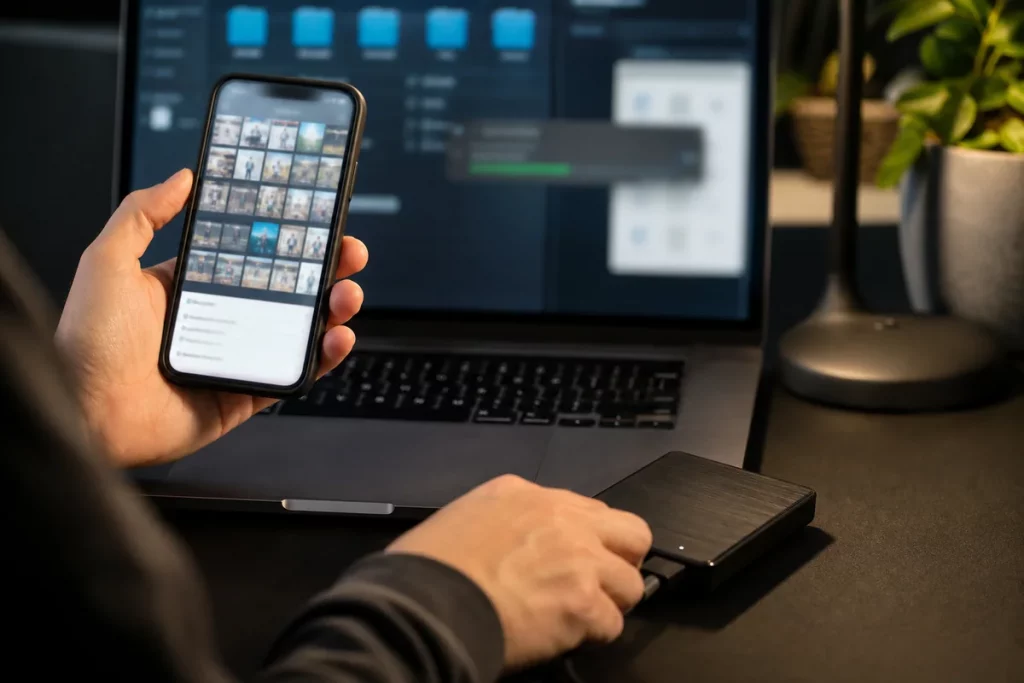
Preserve context and build support before changing access when the situation allows.
NavigateTable of Contents18 sections
Recognize the Behavior Without Minimizing It
Post-dating online harassment can include:
- repeated messages after a clear request to stop;
- new accounts created after blocking;
- threats toward you, relatives, pets, work, or property;
- publishing your address, phone number, workplace, or routine;
- impersonation or fake profiles;
- account compromise or password-reset attempts;
- tracking through shared apps, devices, vehicles, or location services;
- sharing or threatening to share intimate images;
- contacting employers, relatives, dates, or friends to punish or isolate you;
- false emergency reports or deliveries;
- coordinated harassment by other people.
One rude message is different from a repeated course of conduct, but you do not need to wait for a legal definition before using safety tools.
The U.S. Department of Justice describes stalking as a course of conduct directed at a person that would cause a reasonable person to fear for safety or suffer substantial emotional distress. Review the DOJ’s stalking resource. Whether specific conduct meets a criminal or civil definition depends on evidence and local law.
Avoid labels in your incident log. Record behavior: “Account @name sent 14 messages from 8:10 to 9:03 after my no-contact message” is more useful than “acted crazy.”
Triage Immediate Safety
If there is an immediate threat, the person is nearby, a weapon is mentioned, or you believe someone may be harmed, contact local emergency services and move toward a safer place if possible. Do not remain online to perfect a report.
Ask:
- Does the person know my current location?
- Have they appeared in person or described my surroundings?
- Are children, dependants, or pets exposed?
- Do they have keys, access codes, shared accounts, or devices?
- Have threats become more specific or frequent?
- Is there a known history of violence or coercive control?
- Can I contact support without the person seeing it?
Choose a safe device if account or device monitoring is possible. A work, library, advocate, or trusted person’s device may be safer than simply opening an incognito window.
Create one contact:
“I am receiving repeated threats from a former date. I am safe at the moment. I need you to save these screenshots, check in at 9, and call emergency services if I send the word ‘red.’”
Do not post your live plan publicly. A support person can know where you are without a social feed knowing.
Preserve Useful Evidence
Evidence should show who, what, when, where, and context.
Capture:
- full-screen screenshots with dates, times, usernames, and surrounding conversation;
- profile URLs or account identifiers;
- voicemails, call logs, emails, and headers;
- payment, delivery, or login notifications;
- posts disclosing personal information;
- messages sent to friends, employers, or family;
- earlier requests to stop contact;
- platform report confirmations;
- a chronological incident log;
- photos or records of related physical events.

A chronological log connects separate incidents and records what action was taken.
Keep original files when possible. Avoid cropping out account names or timestamps. Note who captured the evidence and where it is stored. Back up copies somewhere the suspected person cannot access.
Do not repeatedly view traumatic material just to organize it. A trusted person, advocate, lawyer, or investigator may be able to help. Do not forward intimate images more broadly than necessary; ask a qualified service how to preserve them safely.
Australia’s eSafety Commissioner recommends collecting evidence, using platform reporting and blocking tools, and seeking support when unwanted contact becomes persistent or threatening. Its unwanted-contact guidance also explains platform steps in an Australian context.
Secure Accounts and Devices
If you suspect compromise, use a safer device to make changes. Start with the email account that controls password resets.
Priorities:
- change the primary email password to a unique passphrase;
- enable strong multi-factor authentication;
- review recovery email, phone, trusted devices, and active sessions;
- sign out unfamiliar sessions;
- change passwords for financial, cloud, mobile-provider, and social accounts;
- review mail forwarding and account rules;
- remove unknown apps and connected services;
- update devices and apps;
- set a carrier account PIN;
- preserve evidence of unauthorized access.
Do not reuse a new password on another account. Prefer an authenticator or hardware security key where suitable and available, while keeping recovery methods safe.
Review shared access:
- family cloud plans;
- photo albums;
- calendars;
- smart-home devices;
- vehicle apps;
- fitness apps;
- food delivery and ride-share;
- password managers;
- phone location services;
- Bluetooth trackers;
- children’s devices.
CISA’s personal-security guidance recommends reducing exposed personal information, strengthening account security, and planning responses before a threat escalates. See the CISA personal-security action guide.
If device spyware or coercive control is plausible, abrupt removal can alert the person. A specialist advocate can help balance evidence, safety, and account control.
Reduce Doxxing Exposure
Doxxing is the publication or distribution of personal information to enable harassment, intimidation, or harm. The information may have come from public records, people-search sites, social posts, data brokers, old profiles, or account compromise.
Reduce exposure:
- remove phone, address, workplace, and routine details from public bios;
- make friend and follower lists less visible;
- disable public location tags;
- ask friends not to tag you in real time;
- search your name, usernames, phone, and address;
- use legitimate opt-out processes for people-search sites;
- remove metadata from new shared files;
- separate public and private contact information;
- alert workplace, building, school, or event security where appropriate;
- consider a credit freeze or fraud alert based on local options and the data exposed.
You may not be able to erase every record. Prioritize information that creates direct access: current address, entry codes, work schedule, child’s school, phone, and account recovery details.
Do not pay an unknown “removal expert” who contacted you after the doxxing. Verify services independently and be cautious about giving another company all the information you want removed.
Report and Block Strategically
Use platform reporting categories that match the behavior: threats, impersonation, non-consensual intimate imagery, private-information exposure, harassment, or account compromise.
In the report:
- give dates and account identifiers;
- quote the threat accurately and briefly;
- explain repeated behavior across accounts;
- identify exposed information;
- include report or case numbers from related incidents;
- request preservation of account data if advised by counsel or authorities.
Blocking can stop direct exposure and reduce the harasser’s access. It can also cause a person to switch channels. Discuss sequence with an advocate or investigator when the risk is high.
Contact local law enforcement or legal support when behavior includes credible threats, stalking, extortion, intimate-image abuse, swatting, break-ins, or repeated unwanted contact. Ask how to submit digital evidence and obtain an incident number. A report does not guarantee a particular action, and legal remedies vary.
If the behavior relates to a dating app, report the account even if you met elsewhere later. Include the profile identifier before unmatching if safe.
Coordinate Your Support Network
Harassment thrives on isolation and fragmented information. Choose a small, trustworthy group.
Tell them:
- what the person looks like and the names used;
- what information may have been exposed;
- what they should not share;
- how to respond if contacted;
- when to call you or emergency services;
- where evidence and case numbers are stored.
Ask friends not to argue with, investigate, bait, or publicly shame the person. Engagement can reveal information, contaminate evidence, or escalate behavior.
For work or school:
“A former dating contact has made repeated unwanted approaches. Please do not confirm my schedule or contact details. Direct any communication to security and preserve it.”
For family:
“Do not answer questions about me, click links, or share my location. Screenshot the contact and send it to this address.”
Emotional support matters too. Sleep disruption, fear, concentration problems, and shame are common responses to being targeted. A trauma-informed clinician or victim advocate can help without requiring you to manage the situation alone.
Use the SHIELD Check
GuyID’s SHIELD check organizes a response:
- Safety: Is anyone in immediate physical danger?
- History: What dated evidence shows the pattern?
- Identity: Which accounts, devices, and recovery routes may be exposed?
- Exposure: What location, family, work, or financial information is public?
- Legal and platform tools: Which reports and local options fit the behavior?
- Delegation: Who can store evidence, check in, and reduce your workload?
SHIELD is not a risk calculator. Any specific threat or sudden escalation deserves serious attention even if other categories appear quiet.
A 24-Hour Response Plan
First hour
- move to safety if needed;
- contact emergency services for immediate danger;
- use a safer device;
- tell one trusted person;
- capture the most important evidence.
Hours two through six
- secure primary email and financial accounts;
- review active sessions and location sharing;
- preserve the profile and threats;
- report the relevant platform;
- decide on blocking with safety context.
Hours six through twelve
- create the incident timeline;
- contact an advocate, lawyer, or non-emergency police route as appropriate;
- notify work, building, school, or family selectively;
- reduce the most dangerous public data.
Hours twelve through twenty-four
- back up evidence;
- write case and report numbers;
- plan transport and routine changes if needed;
- schedule check-ins;
- rest and hand off tasks where possible.
A GuyID Trust Profile can add identity and social context before or during dating. It cannot prevent harassment, locate a perpetrator, conduct an investigation, or replace emergency, platform, legal, and survivor-support services.
How GuyID Helps
GuyID should appear when it is useful, not as a banner ad. A GuyID Trust Profile gives someone a portable way to share trust signals before a date, while identity verification and social vouching help turn vague profile claims into clearer next steps.
Useful next steps:
- Create a GuyID Trust Profile when you want a cleaner way to share verified trust signals.
- Use GuyID free tools and related guides when you need a checklist before meeting someone.
- Treat identity verification as confidence-building, not a guarantee.
- Use social vouching when you want context from people who already know the person.
- Sign up only when the extra trust layer helps the decision you are already trying to make.
Frequently Asked Questions
Should I tell the person to stop contacting me?
A single clear no-contact message can document your boundary when it is safe: “Do not contact me again by any method.” Do not send it if engagement may increase danger or if a professional safety plan advises otherwise.
Should I block immediately?
Block quickly in many ordinary cases, but preserve relevant evidence first when safe. In higher-risk stalking or coercive-control situations, discuss timing with an advocate or investigator because the person may change tactics.
What if my address was posted?
Capture the post and URL, report it under the platform’s private-information policy, alert trusted people and relevant security, review how the address was exposed, and consider local police, legal, credit, or relocation options based on the threat.
Is doxxing illegal?
The answer depends on the location, information, intent, accompanying threats, and method used to obtain it. Do not rely on a general definition. A local lawyer, law-enforcement agency, or victim advocate can explain applicable options.
Can GuyID remove the harasser’s content?
No. GuyID does not control other platforms or provide emergency or legal services. Report content to the hosting platform and use appropriate local support.
Final Takeaway
Online harassment after dating is not a communication puzzle you must solve with the person targeting you. Prioritize physical safety, preserve a usable record, secure the accounts that control your identity, reduce exposed information, and bring in trusted and qualified support. You are allowed to stop contact without persuading the other person to agree.